Okay so!
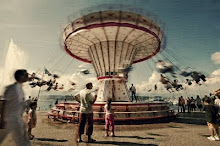
For those of you who asked how I made those polaroids from.. 2 posts back..
It's seriously simple to use.
I am the most technologically-challenged person ever, and I was able to work my way around it.
Advice: Don't wait for the final result photo, cos the final result tends to be a bit too contrast-y that it doesn't really look like a polaroid. So what I basically did was, I right clicked on the photo every 10 seconds or so while the colors "set in," and I clicked "I want a sample now." Then, after the polaroid was completely done (there's a magic "DING!"), I opened the My Pictures folder, and chose the polaroid with the best colors.
You'll see what I mean when you use the software, sorry if I confused you.
But anyway, here's what the photos looked like before:
(I'd edited the contrast and the vignette options beforehand using PhotoImpact and/or Photoshop)


Ta-da!
OH and as promised, here's the really really really cool video:
Kuroshio Sea - 2nd largest aquarium tank in the world - (song is Please don't go by Barcelona) from Jon Rawlinson on Vimeo.
*Watch it here if the vid's being stupid. But the quality on Vimeo is better.
Please, please, please be patient and give it time to load before you watch it so you get a smooth playback.
It's worth it.
I've watched it at least 10 times already, and I'm not sick of it.
It's called the Okinawa Churaumi Aquarium.
It's in Japan.
It's the second largest aquarium in the world.
And umm..
I really wanna go there.
So yes. Be good! Take care =)
%